






The Easy Way to Pay Your Real Estate Investment Expenses
Estimated reading time: 4 minutes
Investing in real estate through your IRA can be a powerful strategy, but real estate comes with real, ongoing expenses.
Think insurance, property taxes, utilities, maintenance, and repairs. When you own a property personally, paying these bills is simple. You pull out a credit card, write a check, or pay online.
When the property is owned by your IRA, the process works a little differently.
The Standard Way to Pay Expenses for IRA-Owned Real Estate
An IRA-owned property is not owned by you personally; it’s owned by your IRA. Because of this, you cannot pay property expenses using personal funds. Doing so would violate the IRS’s disqualified person rules.
Instead, expenses must be paid using cash held within your IRA and coordinated through your self-directed IRA administrator.
Here’s how the standard process works:
- You submit a payment authorization letter to your IRA administrator.
- You include a copy of the invoice or bill.
- Your administrator sends IRA funds directly to pay the expense, typically within two to five business days.
This method is compliant and has been used successfully by real estate investors at The Entrust Group for decades. However, it’s not always the most efficient option.
Most administrators (including Entrust) charge a fee for processing these transactions, and over time, those fees can add up and reduce your IRA balance.
Two Easier Alternatives to Consider
If you’re looking for more flexibility and efficiency, there are two popular alternatives:
- Checkbook control through an IRA LLC
- The myDirection® Card
Pay Expenses with an IRA LLC
A self-directed IRA LLC (often called an IRA LLC) is a limited liability company owned by your IRA that gives you checkbook control.
By setting up an LLC in your IRA’s name, you can pay investment-related expenses directly from the LLC’s bank account. This means you no longer need to submit individual payment requests to your SDIRA administrator. Simply write a check from the LLC to cover eligible expenses.
That said, forming an IRA LLC takes planning. You’ll need to work with an attorney who understands IRA and tax rules to ensure the LLC is structured correctly. Costs vary, but legal setup can be expensive and requires ongoing diligence to remain compliant.
If you’re looking for a simpler option without forming an LLC, the myDirection Card may be a better fit.
Pay Expenses with the myDirection® Card
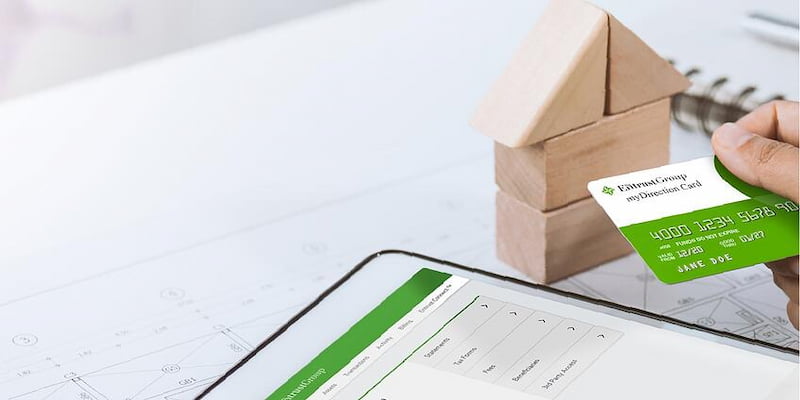
The myDirection® Visa® Card, available exclusively through The Entrust Group, is one of the easiest ways to pay real estate expenses using your IRA.
The card functions like a debit card and is preloaded with undirected cash from your IRA. Instead of creating an LLC to gain checkbook control, the myDirection Card allows you to pay eligible expenses instantly—no paperwork, no waiting.
Here’s an example of how it works:
- You own an IRA-funded real estate property valued at $400,000
- You have $10,000 in undirected cash in your IRA for expenses
- You transfer $5,000 of that cash to your myDirection Card
Now imagine you need to pay:
- $2,000 in property taxes
- $800 for a new refrigerator
- $200 for the electric bill
With the myDirection Card, you simply swipe the card to pay each expense. The total $3,000 is deducted from your card balance, leaving $2,000 available for future expenses.
No checks. No forms. No delays.
Frequently Asked Questions
Below are answers to some of the most common questions we receive about the myDirection Card.
1. How do I add funds to myDirection Card?
- Log in to the Entrust Client Portal.
- Click the myDirection Card tab.
- Select your account.
- Go to the Funding tile to view your IRA cash balance.
- Select Fund from the dropdown menu.
- Enter the amount and click Transfer.
That’s it. Funds are typically available on your card within one to three business days.
2. Can I move funds back to my IRA after loading the card?
Yes, you can return unused funds to your IRA at any time.
- Log in to the Entrust Client Portal.
- Click the myDirection Card tab.
- Select your account.
- Go to the Funding tile.
- Select Reversal from the dropdown menu.
- Enter the amount and click Transfer.
Your funds will be returned to your IRA within one to three business days.
3. Do I need to certify transactions?
Yes. All transactions must be certified within 30 days of the transaction date. Transactions that are not certified may be treated as distributions from your account. Uncertified transactions will display an orange “Certify” button next to the transaction ID.
To certify a transaction:
- Log in to the Entrust Client Portal.
- Click the myDirection Card tab and select your account.
- Go to the Transactions tab.
- Click Certify next to the transaction.
- Select the expense type and associated asset.
- Verify the amount.
- Accept the Transaction Certification Policy.
- Click Certify to complete the process.
Be sure to retain receipts for your records.
4. How much does the myDirection Card cost?
The myDirection Card has a $25 one-time setup fee and a $9 quarterly fee.
5. Is the myDirection Card widely accepted?
Yes. The myDirection Card is accepted anywhere Visa is accepted.
Pay for Your Real Estate Expenses Without the Hassle
With just a few minutes of setup, the myDirection Card can save you time, reduce paperwork, and simplify how you pay investment-related expenses.
Interested in getting started? Watch this short Entrust Knowledge Base video to learn how to apply:















0 Comment